What Is a POS System? How POS Connects Billing, Inventory and Payments
What Is a POS System? How POS Connects Billing, Inventory and Payments
A customer buys a few items from a mini-mart in Kathmandu. The cashier scans the products, prepares the bill and collects the money. A few seconds later, the customer leaves with a receipt.
But the shop's work doesn't end there. The sale needs to appear in its records, the payment must be accounted for, and the stock quantity should be reduced.
A POS system helps keep those activities connected.
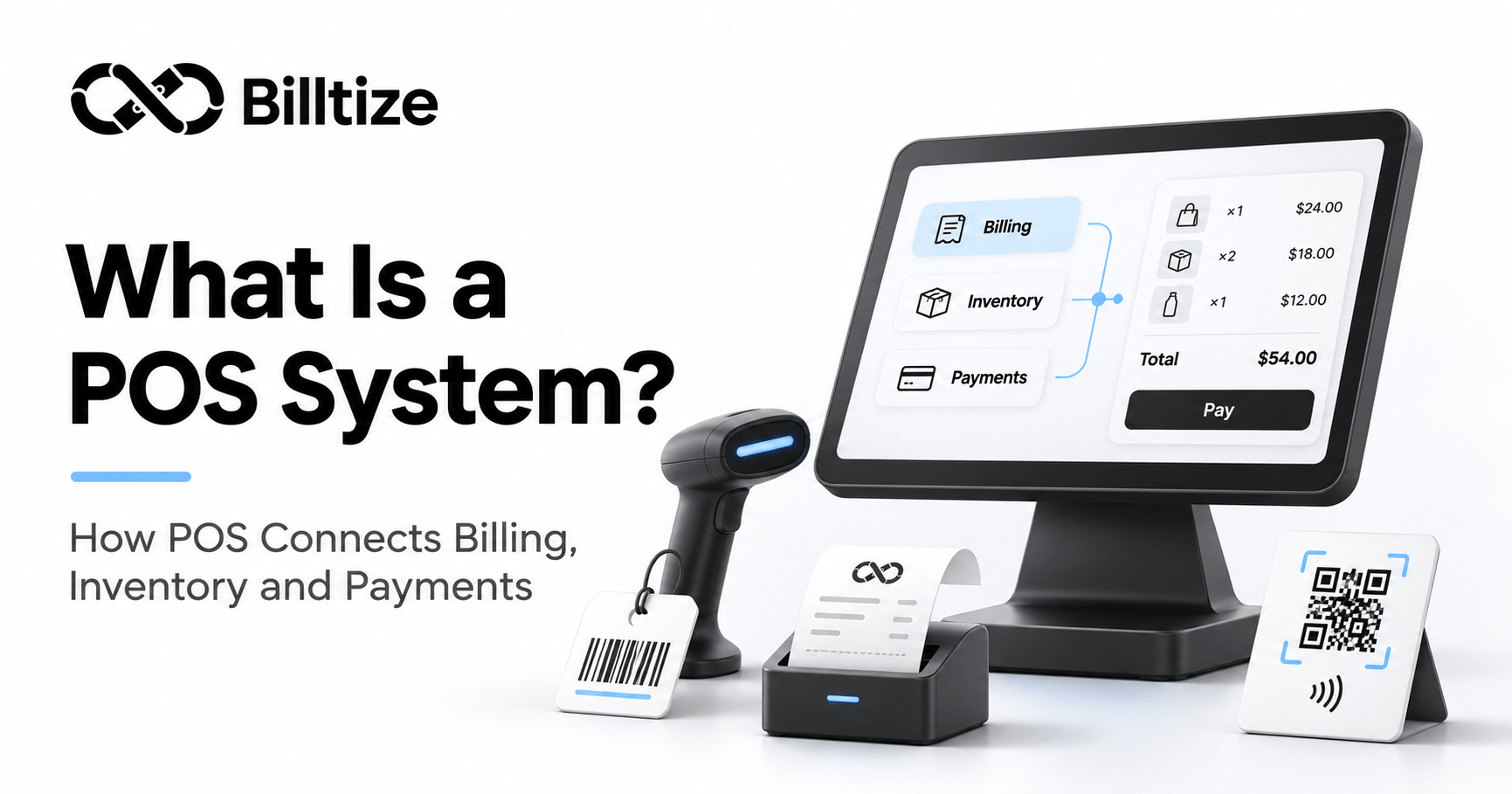
POS stands for Point of Sale. It refers to the software and, where needed, hardware that a business uses to record sales and manage checkout. Modern POS systems can also connect billing, customer payments, inventory and accounting.
For shops in Nepal, this can mean fewer handwritten records and less time spent matching sales with stock at the end of the day.
How does a POS system work?
If you've shopped at a supermarket, you've probably seen a POS system in action.
The cashier scans a barcode or searches for an item. The price appears on the screen, and the system calculates the total.
Most POS transactions follow four basic steps:
-
Choose the products: Scan barcodes or select items from the product list.
-
Prepare the bill: Calculate quantities, prices, discounts and any applicable taxes.
-
Record the payment: Enter the amount received, payment method or outstanding balance.
-
Save the transaction: Update the connected sales, payment and stock records.
The exact process depends on the software being used.
The advantage is that the cashier doesn't have to record the sale at the counter and then enter the same details into another register later.
How does POS connect billing, inventory and payments?
Let's say a Kathmandu shop has 15 units of a product in stock.
A customer buys two units for NPR 500 each. The total is NPR 1,000, but the customer wants to pay in two ways: NPR 600 in cash and NPR 400 through a bank transfer.
After confirming that the transfer has arrived, the cashier records both payments.
| Transaction details | Result |
|---|---|
| Quantity sold | 2 units |
| Price per unit | NPR 500 |
| Total bill | NPR 1,000 |
| Cash received | NPR 600 |
| Bank payment received | NPR 400 |
| Balance due | NPR 0 |
| Stock before sale | 15 units |
| Stock after sale | 13 units |
The bill shows NPR 1,000 in sales. The payment record explains how the money was collected, and the inventory balance drops to 13 units.

All three records relate to the same transaction.
One detail is particularly important for Nepali shops using bank QR payments. Entering NPR 400 as a bank payment doesn't necessarily prove that the money reached the account. If the POS isn't directly integrated with the payment provider, staff should check the confirmation separately.
This is a simplified example without VAT, discounts or product costs.
Is POS different from billing software and a payment terminal?
Yes, although the features can overlap.
| System | What it mainly handles |
|---|---|
| POS system | Checkout sales and related transaction records |
| Billing software | Invoices, receipts, payments and customer balances |
| Payment terminal or service | Payment processing through a bank or payment provider |

A small shop might use these separately. A larger business may prefer a platform that connects billing and stock management with POS.
There's also a tax detail worth knowing.
A printed POS receipt isn't automatically a valid VAT invoice in Nepal. VAT-registered businesses must follow the prescribed invoice requirements under Rule 17 of the Value Added Tax Rules, 2053. Rule 18 allows abbreviated VAT invoices under specified conditions and with the required tax-officer permission.
Our IRD e-billing software guide covers the electronic invoicing side in more detail.
Why should POS connect with inventory and accounting?
Think about a shop that bills customers throughout the day but updates its stock register manually in the evening.
If someone forgets a sale or enters the wrong quantity, the stock figures won't match what's actually on the shelves.
A connected POS and inventory management system can reduce this kind of repeated work. Staff can review what was sold, what remains and which transactions need attention.
It also makes financial records easier to follow.
For example, selling NPR 10,000 worth of products doesn't mean the business earned NPR 10,000 in profit. The cost of the goods and other expenses still have to be considered.
The accounting side becomes clearer when sales are recorded properly. If you're learning how this works, our guide to double-entry accounting explains how business transactions enter financial records.
What equipment does a small shop need for POS?
Not every shop needs a large checkout counter with several devices.
A small retailer may be comfortable using a supported computer, POS software and a receipt printer. Products can be selected manually if the software allows it.
As the business grows, a barcode scanner can make checkout faster, especially when hundreds of different products are involved.
The important thing is to choose compatible hardware and a setup that matches the shop's daily workload.
How we handle POS billing in Billtize
At Billtize, we connect sales, billing, inventory and accounting through one web-based platform.
Our POS software for businesses in Nepal supports barcode-assisted billing, product searches and receipt printing with compatible 58mm and 80mm thermal printers.
Businesses can record cash, bank and split payments. For customers buying on udharo, our Pay Later workflow helps keep track of outstanding balances.
Because billing connects with inventory, businesses can review sales alongside product and stock records instead of maintaining separate registers for everything.
The Billtize POS demonstration below shows how products are selected and billed at the counter using sample data.
We also provide accounting features for businesses in Nepal, allowing businesses to review their financial records alongside day-to-day sales information.
For a small shop, the benefit is straightforward: fewer disconnected records and a clearer picture of what's happening in the business.
Frequently asked questions
Can a POS system manage udharo or credit sales?
Yes, provided the software supports customer credit. Billtize's Pay Later option allows businesses to record credit sales and track how much customers still owe.
Does a POS system automatically confirm QR payments?
Not always. Some POS systems connect directly with payment providers, while others only record the payment details. Without a supported integration, the shop should verify the transfer separately.
Can a shop use POS software without a barcode scanner?
Yes. If the POS supports product searches, the cashier can select products manually. Barcode scanners are especially helpful for shops with many products or frequent transactions.
Further reading: What Is Accounting? Meaning, Process and Importance for Businesses in Nepal · IRD — Value Added Tax Rules, 2053