Retail POS & Billing Software in Nepal: Kirana, Mini-Mart & Supermarket Guide
A kirana shop can manage a quiet afternoon with a notebook and a calculator. The evening rush is another story.
One customer is buying rice and cooking oil. Another wants to pay by QR. A regular customer asks how much udharo is left on their account. Meanwhile, the cashier is trying to find the price of a product without keeping everyone waiting.
When the shop closes, there's still work to do: count the cash, check payments and work out which products need restocking.
This is where retail billing software in Nepal can make a difference. It helps bring the information from the counter into one place, instead of leaving the owner to match bills, stock registers and payment records at the end of the day.
Quick answer: Retail POS and billing software helps kirana shops, mini-marts and supermarkets prepare bills, record payments, print receipts and manage stock. For a small retailer, ease of use and customer-credit tracking may matter most. Larger stores also need barcode scanning, multiple cashiers, inventory controls and reports that help owners understand daily sales.
What Does Retail POS Software Do?
POS stands for Point of Sale. It's the system that records what a customer buys at the checkout counter.
In a basic setup, the cashier selects products, enters quantities, prepares a bill and records payment. With a connected billing and inventory system, the sale also updates the stock records.
That connection matters.
If a shop sells five packets of biscuits, the owner shouldn't have to enter the same transaction in a billing register and then update a separate stock notebook.
Retail POS software can reduce that repeated work. Some systems also connect purchases, customer balances and accounting, giving the owner a broader view of the business.
The features vary between providers, so it's worth understanding what your shop needs before comparing packages.
What Does Your Shop Actually Need?
A kirana shop in a residential neighborhood doesn't operate like a supermarket with several checkout counters.
The products may be similar, but the way they're sold, recorded and restocked can be quite different.
| Business | Common challenges | Features worth checking |
|---|---|---|
| Kirana shop | Loose goods, regular customers, udharo | Simple billing, customer balances, product search |
| Grocery shop | Products sold in kilograms, pieces and packets | Unit handling, barcode support, stock records |
| Mini-mart | Packaged products, busy checkout, regular stock checks | Barcode scanner, receipt printer, inventory reports |
| Supermarket | Multiple cashiers, promotions, large product catalog | Multi-counter billing, user permissions, stock visibility |
| Multi-branch retail business | Products moving between shops and warehouses | Stock transfers, location-wise reports, access controls |
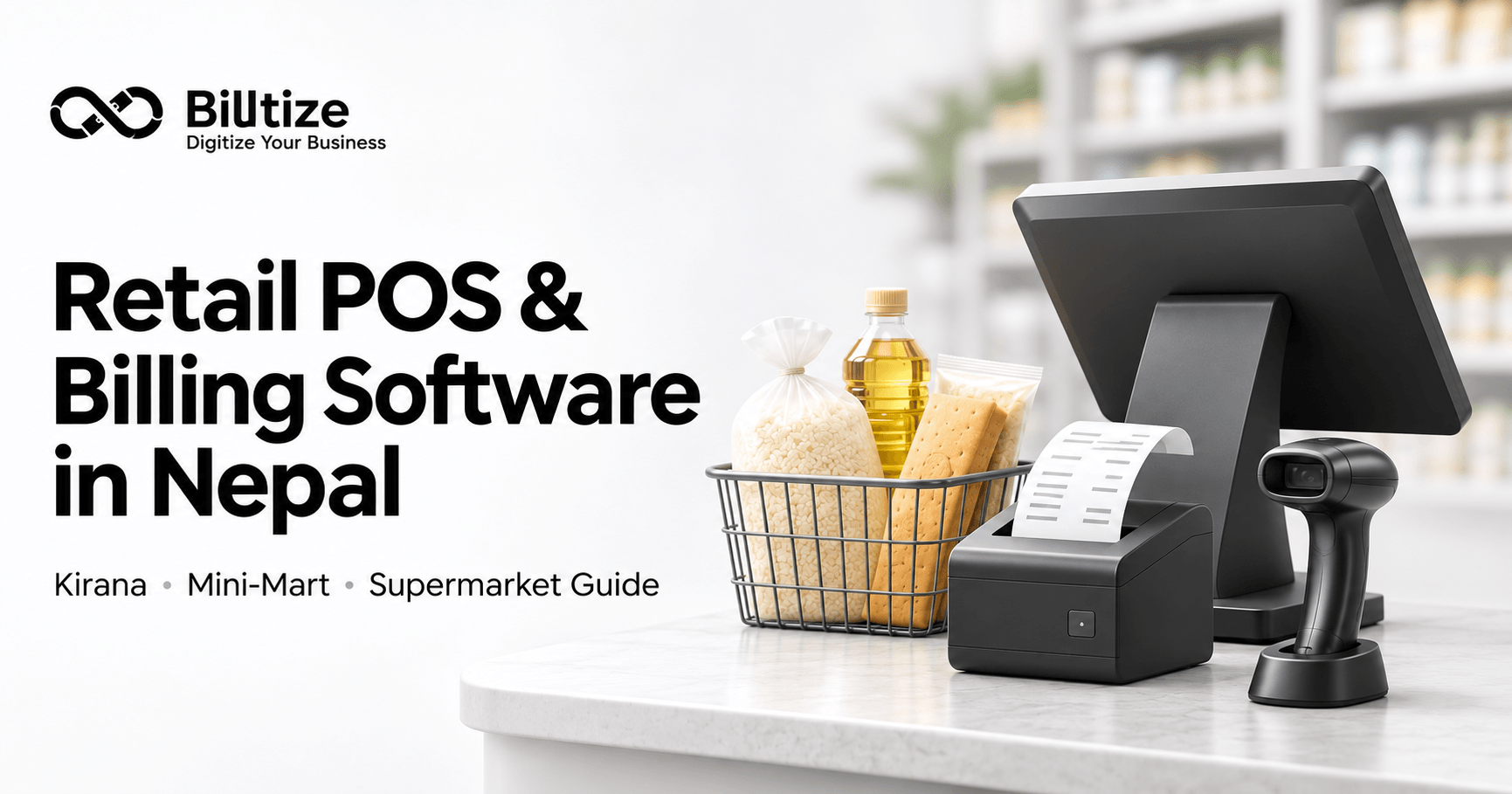
A small shop might begin with one computer and a receipt printer. A mini-mart may add a barcode scanner and label printer. A supermarket could need several billing counters connected to the same product records.
Think about the next year or two as well. If you expect to add another counter or outlet, ask how the software handles that change and what it costs.
At the Counter: What Makes Billing Easier?
Barcodes save time, but not every product has one
Packaged groceries usually come with barcodes. Scan the code, and the product can be added to the bill without typing its name.
That's helpful when customers arrive with baskets full of different items.
But a Nepali grocery shop also sells things like loose rice, dal, potatoes and vegetables. These may be billed by weight or selected manually from the product list.

A good checkout workflow should handle both situations.
Ask the provider to demonstrate a packaged item, loose rice sold by kilogram and a product sold by the carton as well as by the piece. Check how prices and quantities are handled.
If your shop packs its own products, barcode labels can help staff identify them quickly. Just make sure the system supports your label format and printer.
Receipt printing should work with your actual hardware
Most customers buying a few groceries want a quick receipt, not a lengthy wait for a full-page printout.
Many retail shops use 58mm or 80mm thermal receipt printers. The choice depends on the printer, the receipt layout and the information your business needs to include.
During the software demonstration, print a sample bill. Check the shop name, product quantities, discounts, totals and tax details.
A receipt may look good on the computer but print differently on paper. Testing the actual printer is better than discovering a formatting problem after the counter goes live.
Udharo should be easy to check
Regular customers sometimes take groceries on credit and pay later.
Suppose someone buys goods worth NPR 1,200 but pays NPR 800. The shop needs to remember that NPR 400 is still due.
A few days later, the customer returns with the remaining money.
That payment should settle the earlier balance, not create a second sale.
For a small shop with many regular customers, organized credit records can prevent disagreements. They also make it easier for another employee to check an account when the owner isn't there.
Stock Problems Don't Always Start in the Storeroom
Sometimes the first sign of a stock problem appears at the checkout.

A product is listed as available, but the cashier can't find it. Or a shelf is nearly empty, even though the stock register shows plenty remaining.
The cause could be an unrecorded sale, incorrect opening quantity, damaged stock or a transfer that wasn't entered.
When sales and inventory are connected, the system can deduct sold quantities from the assigned stock location. This gives the owner a more useful starting point for checking discrepancies.
There are other details worth considering, particularly for mini-marts and supermarkets.
Batch numbers and expiry dates: A shop may receive two batches of the same packaged food product with different expiry dates. Keeping those batches separate helps staff identify stock that needs attention.
Low-stock levels: An alert can help the owner notice that a popular item is running low before a customer asks for it.
Multiple warehouses: A retailer may keep some goods in the shop and the rest in a separate godown. Stock movements between those locations need to be recorded properly.
These functions are useful when comparing inventory management or stock management software, especially for shops selling packaged food, dairy, cosmetics and other date-sensitive products.
No software can automatically detect every missing or damaged product. Physical stock counts and careful data entry remain part of the job.
For more information, see Inventory Management Software in Nepal.
The Difference Between Sales and Cash Collected
This is something every retail owner should understand.
Imagine your shop records NPR 40,000 in sales today. At closing time, there's NPR 25,000 in the cash drawer.
You might immediately wonder where the other NPR 15,000 went.

But the difference doesn't necessarily mean money is missing.
Some customers may have paid by QR or bank transfer. Others may have purchased on credit. You may also need to account for refunds, cash withdrawn from the drawer or the opening cash balance.
A useful POS report should make it possible to review those transactions separately.
There is another detail worth checking with QR payments: selecting “QR” in the billing screen doesn't always confirm that money reached your bank account. If you want automatic payment verification, ask whether the system has a working integration with your payment provider.
Reliable records make reconciliation easier. They don't replace the need to check actual cash and bank transactions.
A Grocery Sale You Can Use to Test POS Software
Here's an example from an ordinary grocery counter.
A customer buys two litres of cooking oil, five kilograms of rice and four packets of biscuits.
| Product | Quantity | Sample rate | Total |
|---|---|---|---|
| Cooking oil | 2 litres | NPR 240/litre | NPR 480 |
| Rice | 5 kg | NPR 110/kg | NPR 550 |
| Biscuits | 4 packets | NPR 80/packet | NPR 320 |
| Total sale | NPR 1,350 |
These are example prices, not current market quotations. Applicable taxes and other adjustments are excluded for simplicity.
The customer pays NPR 1,000 and promises to pay NPR 350 next week.

After billing, you should be able to find the original NPR 1,350 sale, the NPR 1,000 payment and the NPR 350 outstanding balance.
The quantities sold should also be deducted from stock.
The cashier might scan the oil and biscuits, then search for rice and enter five kilograms.
Next week, when the customer pays NPR 350, the outstanding balance should become zero. The system shouldn't treat that collection as a new sale.
This one example is useful when testing billing software for a grocery shop in Nepal. It shows how product search, billing, inventory and customer credit work together.
If a provider can demonstrate the entire process clearly, you'll have a better understanding of how the system handles a normal working day.
Want to test this with products from your own shop? Request a Billtize retail POS demonstration and ask about the available free trial.
How Billtize Fits Into Retail Operations
Billtize connects billing, inventory, customer-payment records and accounting through a web-based platform.

For a shop counter, it supports barcode-assisted product selection, payment recording, credit notes and printing on compatible 58mm and 80mm thermal receipt printers. Barcode label printing and cash-drawer triggers are also available for supported hardware.
The inventory functions cover products, warehouses, stock movements, batch and expiry details, and inventory alerts.
This can be helpful for a business that wants checkout and stock information in the same system. Rather than updating different records manually, staff can work through connected billing and inventory processes.
Billtize also has accounting reports and user permissions. A cashier can focus on sales, while the owner or accountant can review the records needed for their work.
For shops moving away from notebooks or Excel, setup is often the difficult part. There may be hundreds of products to enter, along with opening stock and customer balances.
Billtize offers a 30-day trial and free implementation assistance, including setup for up to 500 products within its current offer terms. Shops with a larger product list or special setup requirements should confirm the scope with the team.
Before subscribing, test the system with your own products, scanner and printer. Have the employee who usually handles billing try it too. A smooth demonstration for the owner doesn't always mean the cashier will be comfortable using it during a rush.
You can explore Billtize POS Software in Nepal, review its billing features or check the available POS hardware.
What Will a Complete Retail POS Setup Cost?
Software is just the first bill. A new retail counter may also need hardware, internet connectivity and employee training.
Here's what to budget for:
| Item | What it does |
|---|---|
| Computer or compatible device | Runs the checkout system |
| Barcode scanner | Reads product barcodes |
| Thermal printer | Prints customer receipts |
| Cash drawer | Helps organize cash at the counter |
| Barcode label printer | Prints labels for store-packed products |
| Internet and power backup | Helps keep web-based checkout available |
| Setup and training | Prepares products, opening records and staff |
You may already have a scanner or printer that works with the software. Check compatibility before buying new equipment.
Also ask whether the subscription includes additional cashiers, branches, support and future updates. A low entry price can become expensive if the features your shop needs are charged separately.
Compare written quotations for the complete setup, not just the yearly subscription.
For Billtize, see the current pricing plans and confirm the package, taxes and services included.
Online Billing, Cloud Accounting and ERP: Does a Retail Shop Need Them?
These terms often appear together on software websites, which can make choosing a system confusing.
Online billing software helps a business issue invoices and record sales through a connected system.
Cloud-based accounting software goes further by maintaining ledgers and financial records that can be accessed online.
A broader business management software platform may bring billing, purchases, inventory, accounting and employee-related functions together.
ERP software covers an even wider set of business processes. A small retailer doesn't need to choose a full ERP arrangement simply because the business is growing.
Start with what happens every day: billing customers, collecting money and checking stock. Then consider purchases, accounting, payroll or branch management when those become necessary.
There is one practical concern with web-based systems: internet reliability.
Billtize operates through the web, so shops should not assume offline checkout will work during an outage. If your connection regularly drops, discuss that issue before committing to any online billing system and test its documented offline behavior, if available.
For businesses comparing broader accounting options, see our Best Accounting Software in Nepal guide.
What About VAT Bills and IRD Requirements?
Retailers in Nepal need to issue invoices and maintain records according to the rules that apply to their business.
Nepal's standard VAT rate is 13%, but not every shop or product is automatically subject to that rate. The correct treatment depends on the taxpayer's registration and the goods or services involved.
Electronic billing is another matter.
Using a POS system doesn't automatically mean every kirana shop must connect to the Inland Revenue Department's Central Billing Monitoring System (CBMS). The rules depend on the applicable laws, official notices and taxpayer circumstances.
Check the current requirements through the Inland Revenue Department or your tax adviser.
You can also read about IRD E-Billing Software in Nepal.
Before You Buy, Let Your Cashier Try It
A software demonstration is much more useful when it includes the tasks your staff actually perform.
Bring a few products from your shop and ask to try the following:
-
Scan a packaged item and bill a loose product by weight.
-
Change the quantity, apply a discount and print the receipt.
-
Record a partial payment and check the customer's outstanding balance.
-
Check whether the correct stock quantities were deducted.
-
Process a return without deleting the original transaction.
-
Review sales, cash and bank-payment records.
-
Test cashier permissions and your intended printer.
-
Ask what happens if the internet stops working during checkout.
If you have multiple counters or shops, test those arrangements separately.
Pay attention to how much help the cashier needs. Software that's easy to use during a quiet demonstration should still be manageable when customers are waiting.
Frequently Asked Questions
What is the best billing software for a retail shop in Nepal?
It depends on the shop. A kirana shop may need simple billing and customer-credit tracking, while a supermarket needs barcode scanning, multiple cashiers and inventory controls. Compare the actual packages and test the same transactions before choosing.
Can kirana shops use barcode billing software?
Yes. Packaged products can be scanned where barcodes are configured. Products without barcodes can often be selected by name or item code, depending on the software.
What should mini-mart billing software include?
Look for quick product search, barcode scanning, receipt printing, payment records, stock management and daily reports. Check how easily new cashiers can learn the system.
Can supermarket billing software support multiple counters?
Some systems support multiple counters and users working with shared product records. Check how permissions, stock updates and transactions are managed across the counters.
Can POS software track expiry dates?
Some systems include batch and expiry tracking. This is useful for packaged food, dairy, cosmetics and other products with limited shelf life. Confirm the available functions and reports.
Can retail billing software track customer udharo?
Yes, where customer-credit functions are included. The system should record credit sales, partial payments and later collections against the correct customer balances.
Is online billing software suitable for a small shop?
It can be, particularly when the owner wants connected sales and stock records. Consider internet reliability, ease of use, setup support and the cost of the complete system.
Does a retail shop need ERP software?
Not always. Many small shops can begin with billing, customer payments and inventory. Broader accounting, purchasing, HR or multi-branch features become useful when the business needs them.
Can Billtize work with barcode scanners and thermal receipt printers?
Billtize supports barcode scanners, compatible 58mm and 80mm thermal printers, barcode label printing and cash-drawer triggers. Confirm the exact models and connections before purchasing.
Can Billtize work without the internet?
Billtize is web-based. Don't assume offline checkout is available unless the team has confirmed and demonstrated that specific capability. Shops with unreliable connections should check this before subscribing.
Does every retail POS system meet IRD requirements?
No. Ordinary billing features are not proof that a software version and taxpayer setup meet all applicable electronic-billing or CBMS requirements. Verify those obligations separately.
Final Thoughts
A retail shop has enough work to manage without entering the same sale into several registers.
The cashier needs a quick way to prepare bills. The owner needs to know what was sold, what was paid and what's left in stock. As the business grows, purchases, accounts and employee access become important too.
Choose software by testing these everyday tasks—not by counting how many features appear on the pricing page.
If you're considering billing, stock and accounting in one web-based system, explore Billtize's retail POS features or request a demonstration with products from your own shop.
About this guide: Published by Billtize. This article explains retail POS and billing requirements for businesses in Nepal. It is not an independent ranking of software providers. Product information was reviewed in November 2026; confirm current features, hardware compatibility and onboarding terms before purchase.