Dynamic FonePay QR Billing in Nepal: How to Accept Instant POS Payments with Zero Extra Charge
Dynamic FonePay QR at the POS: No More Typed Amounts, No More Screenshots
The bill is NPR 1,865. The customer scans the standee on the desk and types the amount himself. It’s the evening rush and he’s distracted, so he pays 1,685. Or 186.50. Then he turns his phone toward the cashier with a confirmation screen on it. The cashier can’t tell whether it’s real, an old screenshot, or a payment that’s still processing. The owner, who has the bank SMS phone, is in the back. So the cashier calls him, and a queue builds up behind a customer who has already paid.
This happens at supermarkets, marts, pharmacies, restaurants and wholesale counters from Kathmandu to Biratnagar. QR payments are everywhere in Nepal now. But a laminated static QR on the desk was never designed for a fast counter.
Static vs dynamic
A static QR holds one thing: your merchant account. It knows nothing about the cart, the invoice number or the total. That’s why the customer has to type the amount.
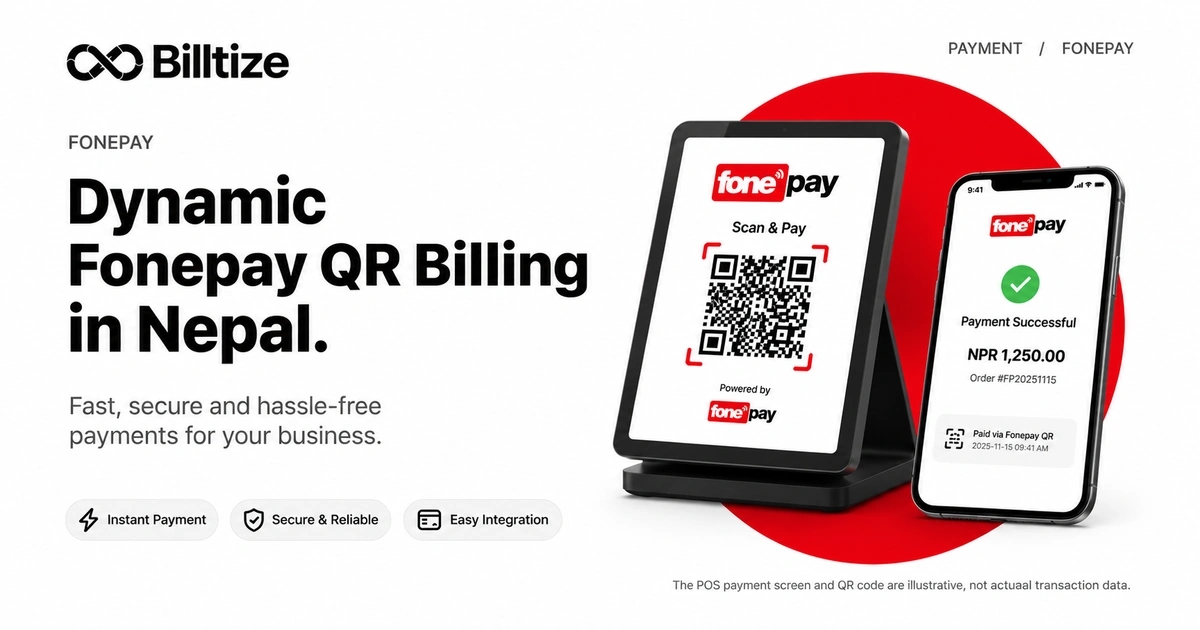
A dynamic QR is generated for each bill by your POS. The cashier finishes the cart and chooses FonePay QR. Billtize asks FonePay for a code carrying that invoice’s exact total, including 13% VAT and discounts, plus the invoice reference. The customer scans it with a FonePay-supported banking app, eSewa or Khalti, sees the amount already filled in, and taps confirm.
When the payment goes through, FonePay sends a callback to Billtize. The POS marks the invoice paid and prints the receipt, with no phone-screen inspection and no call to the owner.
What the scan sets off
This is the part I’d stress, because accepting the payment is only half the job. With a standee, the accountant still has to record it later. With a dynamic QR, one scan updates four things at once.
The receipt prints in BS dates (58mm, 80mm or A4), showing the payment mode and customer PAN. Stock comes off the right branch or warehouse, following FIFO or FEFO if you track batches. The bank entry posts to a designated FonePay settlement ledger, not a generic cash account: bank debited, sales credited, 13% VAT Payable credited. And for VAT-registered businesses, the invoice goes into the Sales Register (Schedule 6) and Annex 13, and syncs to the IRD’s CBMS.
Because every QR payment is tied to an invoice number, closing the day stops being a hunt through anonymous bank credits. You match by invoice instead.
Split payments
Customers do this constantly: NPR 1,000 in cash and the remaining 1,350 on the phone. On a static setup, it messes up the cash drawer count.
In Billtize, the cashier enters 1,000 as the cash tender, and the dynamic QR is generated for the remaining 1,350. When it’s paid, 1,000 posts to the cash-in-hand ledger and 1,350 to the bank ledger, so the drawer and the bank statement both balance at closing.
About “zero extra charge”
The original puts this in the title, so it needs care. What the draft supports is narrower: Billtize doesn’t add a separate integration or per-transaction fee for dynamic QR, and it’s included in standard plans.
Your original also claims that other vendors charge NPR 15,000 to 25,000+ for integration, and that customers pay nothing extra to scan. Showing the QR doesn’t need a card terminal either. It can appear on your POS monitor, a tablet, a customer-facing display or the printed slip.
Setting it up
- Open Organization Settings in Billtize Sign in to your Billtize account and go to Configuration → Organization Settings
- Enable FonePay Integration: click on it.
- Enter Your FonePay Merchant Login: Enter your FonePay Merchant Username and Password.
- Link Your Settlement Bank Account Select the Bank Account in your Billtize Chart of Accounts where FonePay settlements are deposited, so every QR payment posts to the right ledger automatically.
- Save & Test at Checkout Click Save. Open a new invoice or POS bill, select FonePay QR as the payment mode, and verify that Billtize generates a scannable QR code pre-filled with the exact bill amount.
How the two compare
| Static QR standee | Dynamic QR in Billtize | |
|---|---|---|
| Who enters the amount | The customer | Filled in by the POS |
| Confirming payment | Screenshot or owner’s SMS | Shown on the POS when the callback arrives |
| Matching to bank | Generic credits, matched by hand | Tagged with the invoice number |
| Split payments | Messy | Cash first, QR for the balance |
| Books and VAT registers | Entered later | Posted automatically |
Quick answers
Which apps can scan it? Any FonePay-supported banking app, plus wallets like eSewa and Khalti.
Is there a per-transaction fee from Billtize? According to your draft, no. It’s included in standard plans. checkout in billtize software.
What about split payments? Enter the cash portion, then generate a QR for the balance.
Does it work with CBMS and BS dates? Yes. Invoices are recorded in BS dates, feed Schedule 6 and Annex 13, and sync to CBMS.